ANNOUNCING
Version 8.0 with Microsoft Office 365 and Copilot Integrations |   Read More
AI & MCP

You Don't Need Another AI Tool.

You need a secure connection.

Harness the power of the AI tools you already pay for. No bolt-on middleware, no more third parties, no overpriced wrapper.

Learn More
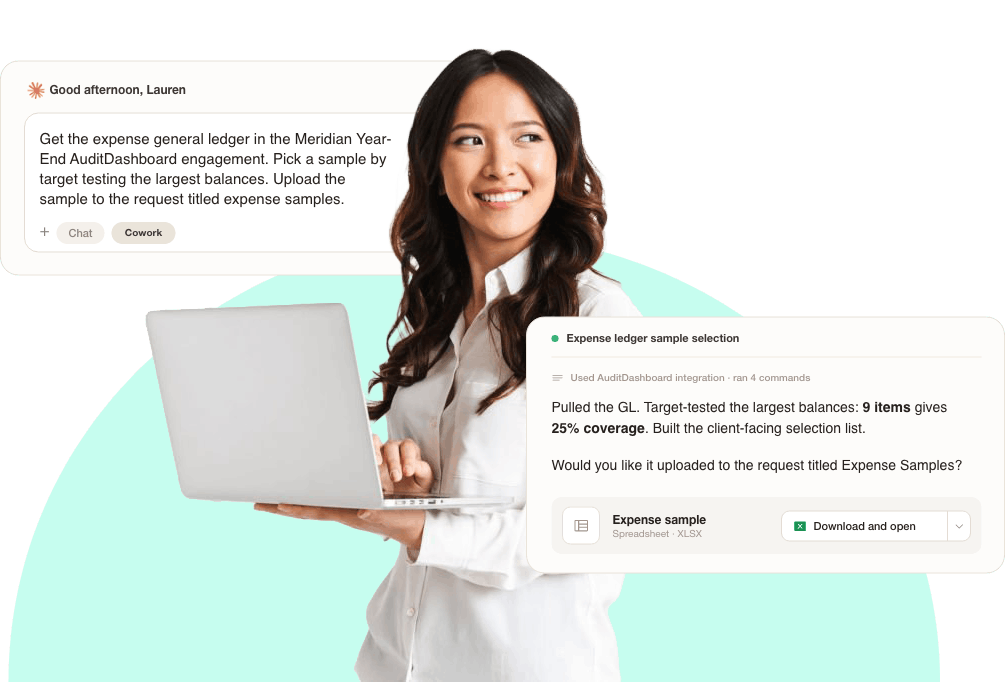
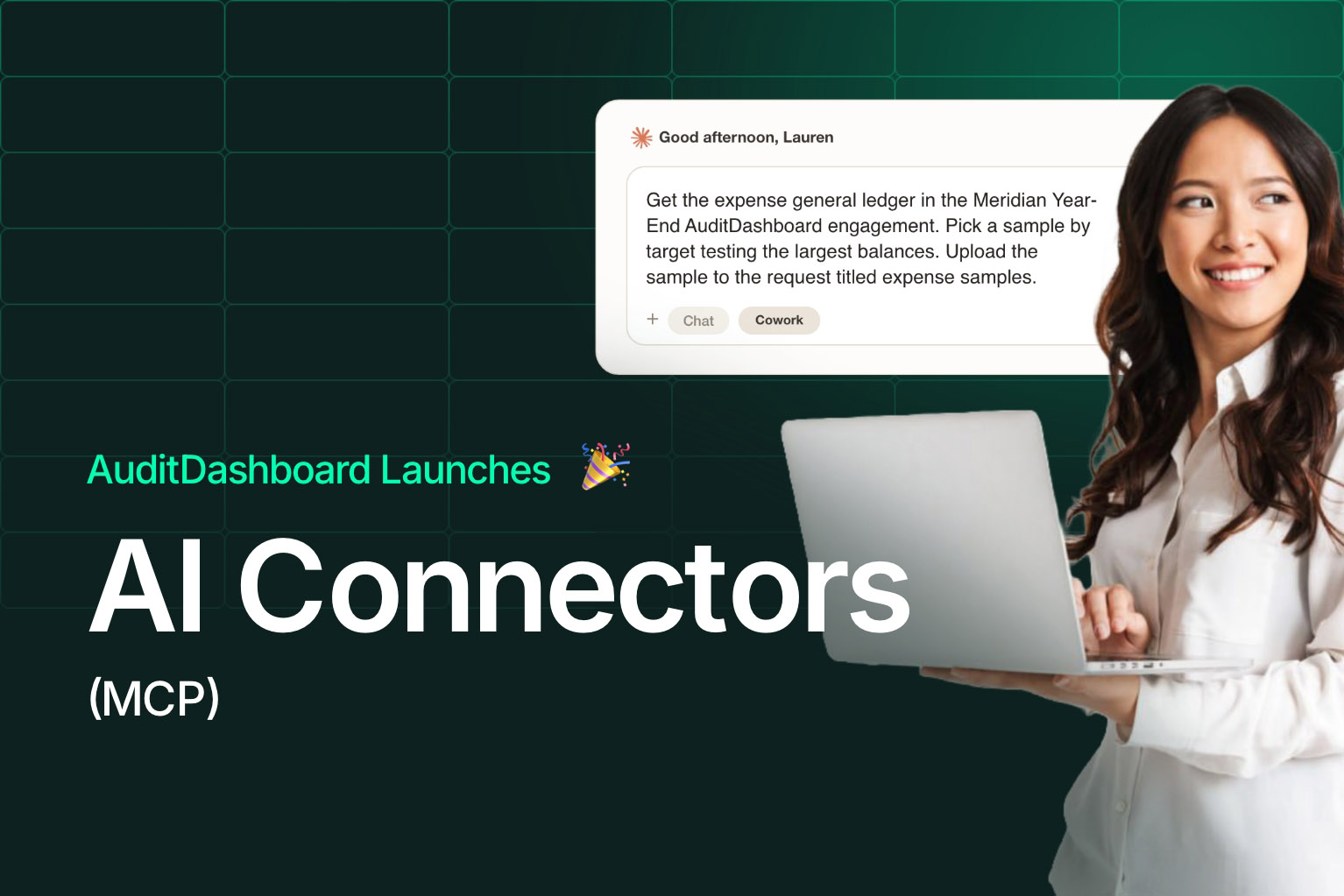
An auditor is holding her laptop and we're seeing how she prompts AI with our AuditDashboard MCP to make her work more efficient.

"

Why an mcp?
Most firms are using AI one of two ways.
By hand. Export the file, paste it into a chat window, retype the context from memory, then copy the answer back in. It works once. It isn't repeatable, it doesn't survive the person who did it, it's a minimal increase in efficiency and it's eating tokens.

Through someone else's wrapper. An audit automation tool built on the same frontier model your firm already licenses, highly overpriced, and capped at whatever that vendor ships next.

There's a third option. Connect the models you're already paying for straight to your engagements.
PBC + Scheduling

Align your schedule and your PBC request list progress.

Why an MCP?

Most firms are currently using AI one of two ways.

“With AuditDashboard’s Insights, I can monitor the status of my portfolio at a glance and deliver a better, more responsive client experience. It’s easy to adjust schedules, and we’ve avoided numerous last-minute surprises by ensuring we review information when it’s provided.”

Elizabeth Carroll, Director of Research & Development

By hand. Export the file, paste it into a chat window, retype the context from memory, then copy the answer back in. It works once. It isn't repeatable, it doesn't survive the person who did it, it's a minimal increase in efficiency and it's eating tokens.

Through someone else's wrapper. An audit automation tool built on the same frontier model your firm already licenses, highly overpriced, and capped at whatever that vendor ships next.

There's a third option.
Connect the models you're already paying for straight to your engagements.

"

Frontier models are incredibly powerful
There's a better, more powerful way to use AI.
Other vendors will tell you not to use frontier models like Claude, ChatGPT, Copilot and Gemini, so they can sell you a product built on one.

We'd rather not waste your time. Connect your favorite AI tools and agents to AuditDashboard and unlock the value you've been searching for.
Copy-paste loop
Don't download a file, upload it into a chat window, retype the context from memory, then copy & paste the answer elsewhere.
Someone else's wrapper
There's no need to use expensive AI buttons and chatbots in platforms built on the same frontier models your firm already licenses directly.
Show Me What's Possible
REAL USE CASES

Do more with the AI tool you already pay for.

Create and invite client users
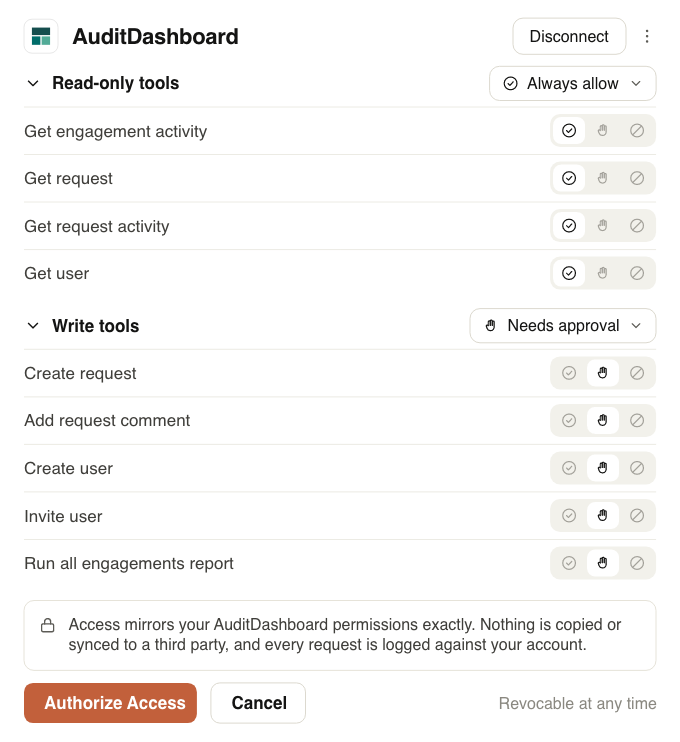
Add a client company, client contact, and invite one or multiple user(s) to register, without opening the portal.
Create client engagements
Set up an engagement with all its details, engagement team members, and client users in one instruction.
Add firm users to engagements
Grant one or multiple users access in bulk, instead of opening each engagement and adding them one by one.
Improve the quality of your requests
Ensure requests are clear, concise, and specific before they go out, to avoid unnecessary questions and rework.
Pull populations, select samples
Get the general ledger, select your samples, and deliver them straight to the client in minutes.
Review what came back
Automatically flag PBC files that look incorrect and prioritize what needs attention before review begins.
Chase what's missing
Say your client sends 7 of the 10 samples. Draft and post follow-up automatically, without interrupting your flow.
Extract files, draft working papers
Execute work using your favorite AI tool and the PBC files in AuditDashboard, without manually downloading them.
Monitor your whole portfolio
Summarize how engagements are performing, identify overruns caused by client delays.
How TO

Get started in three easy steps.

Any MCP-compatible AI client your firm use, including Claude, ChatGPT and Copilot can be connected with AuditDashboard.

01
Decide and switch it on for your firm
AI Connectors are enabled portal-by-portal, so your firm decides when it's ready to opt-in and go live.
02
Connect with your AI of choice
Point your favorite AI tool at your firm's AuditDashboard address and sign in with your normal credentials. No new account, no second password, MFA included.
03
Start your first session
Start with "list my active engagements." From there, ask it to create an engagement, review what's been submitted and flag what's incorrect, then have it draft a comment and tag the client contact.
good to know
Everything the connectors do is done as you. Comments appear in the Activity Feed under your name, and the model can only see and do what your AuditDashboard role already allows. Before anything changes, it tells you what it's about to do and waits for you to confirm.
permissions & controlS YOU TURST

A secure connection, with the guardrails you already have.

Connectors enforce each user's role, access rights, and permissions already set in AuditDashboard.

And nothing gets read or written without your permission. Your agent reviews the engagement, proposes the comment, or uploads the file, and you can review/approve each step before it reaches your client.

“With AuditDashboard’s Insights, I can monitor the status of my portfolio at a glance and deliver a better, more responsive client experience. It’s easy to adjust schedules, and we’ve avoided numerous last-minute surprises by ensuring we review information when it’s provided.”

Elizabeth Carroll, Director of Research & Development
The gap

See which clients have actually agreed to the fieldwork dates you've resourced.

THE GAP

Most AI in audit is working from a copy of your data.

Firms are getting usable first drafts out of AI, then rebuilding the context by hand every single time. That's hard to repeat and harder to teach.

With AuditDashboard, we have greater visibility over each client’s delivery of information, guiding the best time to start our work. Starting jobs after our clients deliver most of the information has made us more efficient and effective.

Ross Clark, Senior Manager
TODAY
Files downloaded and re-uploaded by hand
Context retyped from memory, every session
Answers copied back into the engagement
Use cases stuck in one person's chat history
MAXIMIZE PROFITABILITY

Avoid overruns caused by client delays.

Is your team stuck waiting for information because clients haven’t delivered what is required? Profitability erodes when teams are forced to start and stop engagements as they chase clients for information.

Identify and recover overruns caused by client delays with data-driven insights.

“With AuditDashboard’s Insights, I can instantly see how much information is late and how many days it’s late. Sharing the report with my clients makes it easy to recover overruns caused by client delays. The data never lies.

Khine Cail, Audit Director
MAXIMIZE PROFITABILITY

Avoid overruns caused by client delays.

How it works

A structured, trackable workflow – start to finish

Predictable workflows so staff do the work only when it's ready for them.
BEFORE
Managers chase dates one-off, by email and phone
No central record of confirmed vs. outstanding
Delays surface too late to reallocate staff
Last-minute reshuffling – evenings, weekends, repeat
Overruns are hard to document and recover
AFTER
Reservation requests sent to the right contact, from one place
Real-time confirmation status across every engagement
Delays trigger notifications – reallocate efficiently
Clients guided through commitments by automated reminders
Delays documented for billing recovery
ADVANCED ANALYTICS & INSIGHTS

Unlock access to over 200 data properties to monitor and control the performance of your people, clients, and projects.

You Are In Good Company

“With AuditDashboard we can quantify our client experience on each engagement and benchmark across our entire practice."

Built for everyone at the table

Value across the engagement.

Firm Leadership
Get a return on the AI licenses you're already paying for.
Managers
Manage engagements at scale, control and monitor the process.
Staff
Get more done using the AI tools and agents your firm has already appoved.
IT & Security
Empower teams to realize more use cases with tools that are already appoved.

Your firm already bought the AI. Now connect it to the work.

20 minutes, a live engagement, and whichever AI tool you already use.
Request a Demo
Request A Demo

Watch a live, personalized demo.

You'll see just how quickly AuditDashboard can help staff automate the document request cycle so they have more time to focus on client service.

By submitting this form you agree to our Privacy Policy.
Thank you for your interest.

Someone from our team will be in touch shortly.
Oops! Something went wrong while submitting the form. Please refresh your browser and try again.

Keep Reading

Related Resources

Blog

The New AuditDashboard Interface

The New AuditDashboard Interface

We began reimagining AuditDashboard’s interface with one goal in mind: to modernize the experience while preserving the familiar workflows users depend on every day. Guided by years of meaningful customer conversations, we approached every decision with purpose and care.

Read moreRead more
Why We Built Collaborative Scheduling - Founder post by Dave Mundy

Blog

Why We Built Collaborative Scheduling

Why We Built Collaborative Scheduling

Hundreds of conversations with firm leaders about resourcing, scheduling, and client readiness led us to build Collaborative Scheduling. Great team and client experiences rely on great planning, so we expanded our workflow to help leaders deliver a more consistent experience across all engagements.

Read moreRead more

Press Release

AuditDashboard Launches Collaborative Scheduling

AuditDashboard Launches Collaborative Scheduling

Collaborative Scheduling delivers the client-facing layer that firms are missing. It provides firms with a centralized view of engagement timelines, including fieldwork start and end dates, deliverable due dates, assigned team members, scheduling status and PBC progress, all displayed together. Firms can adjust dates directly on the scheduling timeline, filter engagements and view scheduling activity across the firm.

Read moreRead more